
Images are often the largest part of a webpage, making them a major factor in site speed and SEO performance. Compressing image files reduces their size, which speeds up page load times, improves Core Web Vitals scores, and enhances user experience. These changes can directly boost your search engine rankings.
Here’s why it matters:
- Faster Page Load Times: Compressed images reduce load times by up to 80%, improving user experience and lowering bounce rates.
- Better Core Web Vitals: Optimized images improve key metrics like Largest Contentful Paint (LCP) and Cumulative Layout Shift (CLS), both of which are critical for SEO.
- Improved Mobile Performance: Smaller images load faster on mobile devices, which is crucial for mobile-first indexing.
- Modern Formats Work Better: Formats like WebP and AVIF shrink file sizes by 25–55% compared to JPEG, while maintaining high quality.
To optimize your images:
- Use modern formats like WebP or AVIF for smaller file sizes.
- Compress images with tools like TinyPNG or ShortPixel.
- Implement responsive images using the
srcsetattribute. - Set clear width and height attributes to avoid layout shifts.
How to Optimise Images for SEO and Faster Loading – 3 Easy Steps
sbb-itb-7a4ada9
How Image Compression Affects SEO Metrics
Compressed images play a big role in improving essential SEO technical metrics. Since images often make up about half of a webpage’s weight, reducing their file sizes can lead to noticeable gains in three critical areas: faster page load speeds, improved Core Web Vitals, and better performance for mobile-first indexing.
Faster Page Load Speed
When image files are smaller, less data needs to travel from your server to a visitor’s browser. Compressing images by 40% to 80% can significantly cut download times. For example, a 2 MB hero image on a 3G connection might take 8 seconds to load, but a compressed 200 KB version can load in under a second. This speed boost not only enhances user experience but also improves Core Web Vitals scores. To optimize, aim for these file size targets:
- Hero images: under 200 KB
- Content images: under 100 KB
- Thumbnails: under 20 KB
Better Core Web Vitals Scores
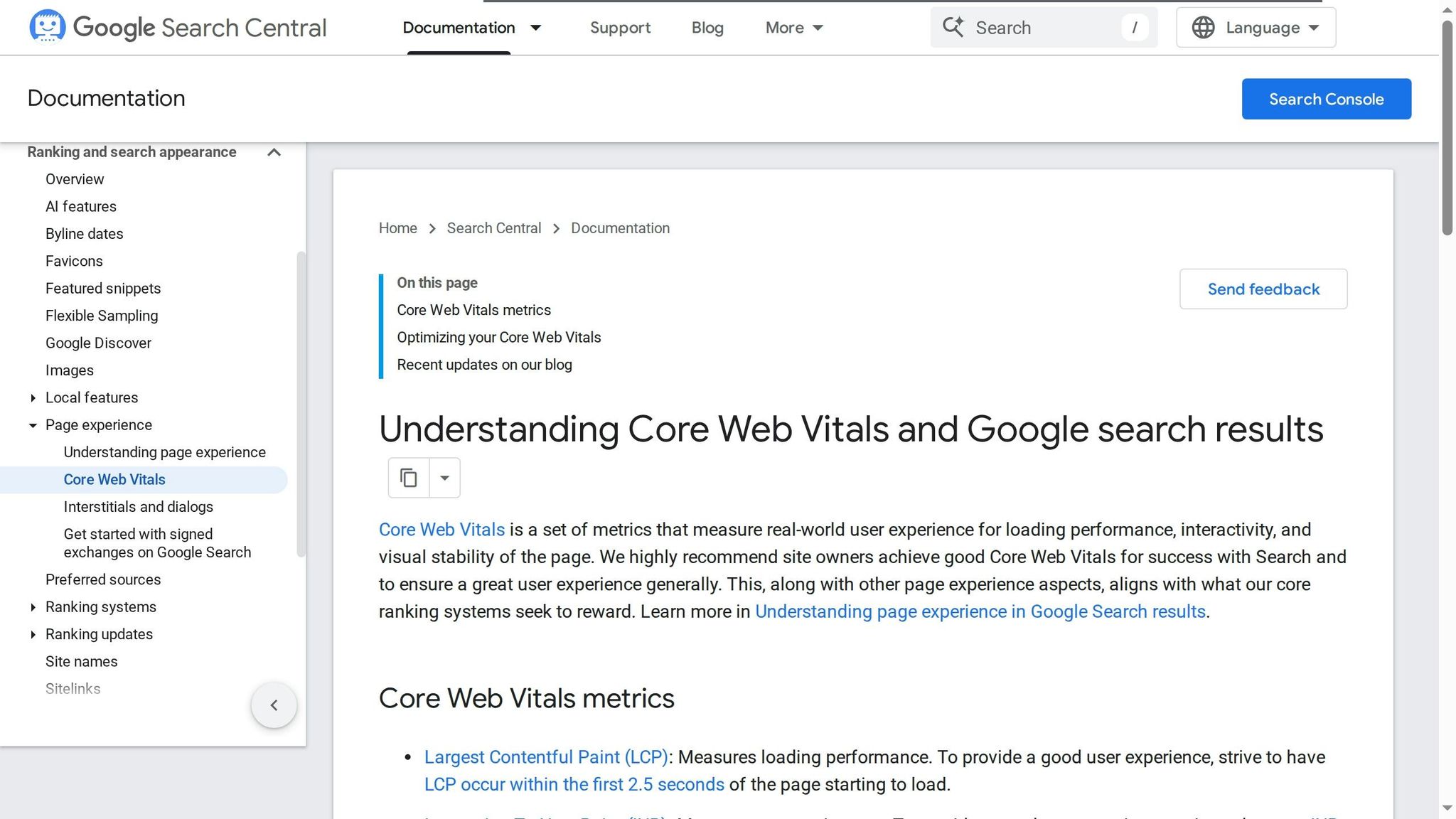
Core Web Vitals are crucial ranking signals for Google, and optimized images directly influence these metrics. One of the most important is Largest Contentful Paint (LCP), which measures how quickly the largest visible element – often an image – loads. On about 78% of pages, this element is an image.
For instance, in April 2025, an e-commerce furniture retailer reduced its average page weight from 5.8 MB to 1.9 MB. This optimization improved their LCP from 4.7 seconds to 1.9 seconds, resulting in a 47% increase in organic traffic over 90 days.
Other metrics also benefit. Cumulative Layout Shift (CLS), which tracks unexpected visual shifts, improves when you define width and height attributes for images. Additionally, Interaction to Next Paint (INP) – which replaced First Input Delay in March 2024 – benefits from smaller, faster-loading image files. The same retailer saw its CLS drop from 0.22 to 0.06 after optimizing its images.
| Core Web Vital | Good (Target) | Needs Improvement | Poor |
|---|---|---|---|
| Largest Contentful Paint (LCP) | < 2.5s | 2.5s – 4.0s | > 4.0s |
| Cumulative Layout Shift (CLS) | < 0.1 | 0.1 – 0.25 | > 0.25 |
| Interaction to Next Paint (INP) | < 200ms | 200ms – 500ms | > 500ms |
Optimizing images doesn’t just improve desktop performance – it’s even more critical for mobile users.
Mobile-First Indexing Performance
Since Google ranks and indexes based on your mobile site’s performance, compressed images are essential for users on slower connections. In early 2025, a local business directory reduced its image weight from 2.8 MB to 0.7 MB. This change boosted its mobile search visibility score from 64 to 89 over 120 days and increased its local pack appearances by 118%.
Mobile devices often struggle with large files, making it vital to use the srcset attribute. This ensures devices download appropriately sized images, which can eliminate over 85% of unnecessary data. Additionally, modern formats like WebP and AVIF shrink file sizes by 25–55%, helping mobile sites meet Google’s "Good" LCP threshold of under 2.5 seconds.
Types of Image Compression Methods
Choosing the right image compression method can make a big difference in your site’s performance, especially when it comes to SEO. Let’s break down the key aspects of lossy and lossless compression, and how modern formats like WebP and AVIF fit into the picture.
Lossless vs. Lossy Compression
The main difference between these two methods is how they handle image quality and file size. Lossy compression is great for reducing file sizes dramatically – think 70–95% smaller for photos or hero banners. But there’s a catch: each time you re-save a lossy file like a JPEG, you risk "generation loss", which means more artifacts and lower quality over time. To avoid this, always keep a lossless master file (like a PNG or RAW) and only export to lossy formats for your final web use.
On the other hand, lossless compression is ideal for images that demand sharp detail, like logos or screenshots. It typically reduces file sizes by 20–50%, keeping the original quality intact.
For most web photos, aim for a quality setting between 75–85% when exporting lossy formats. This strikes a balance between smaller file sizes and maintaining visual quality. Going above 90% bloats file sizes without much improvement, while dropping below 60% can introduce visible artifacts.
Modern Image Formats: WebP and AVIF
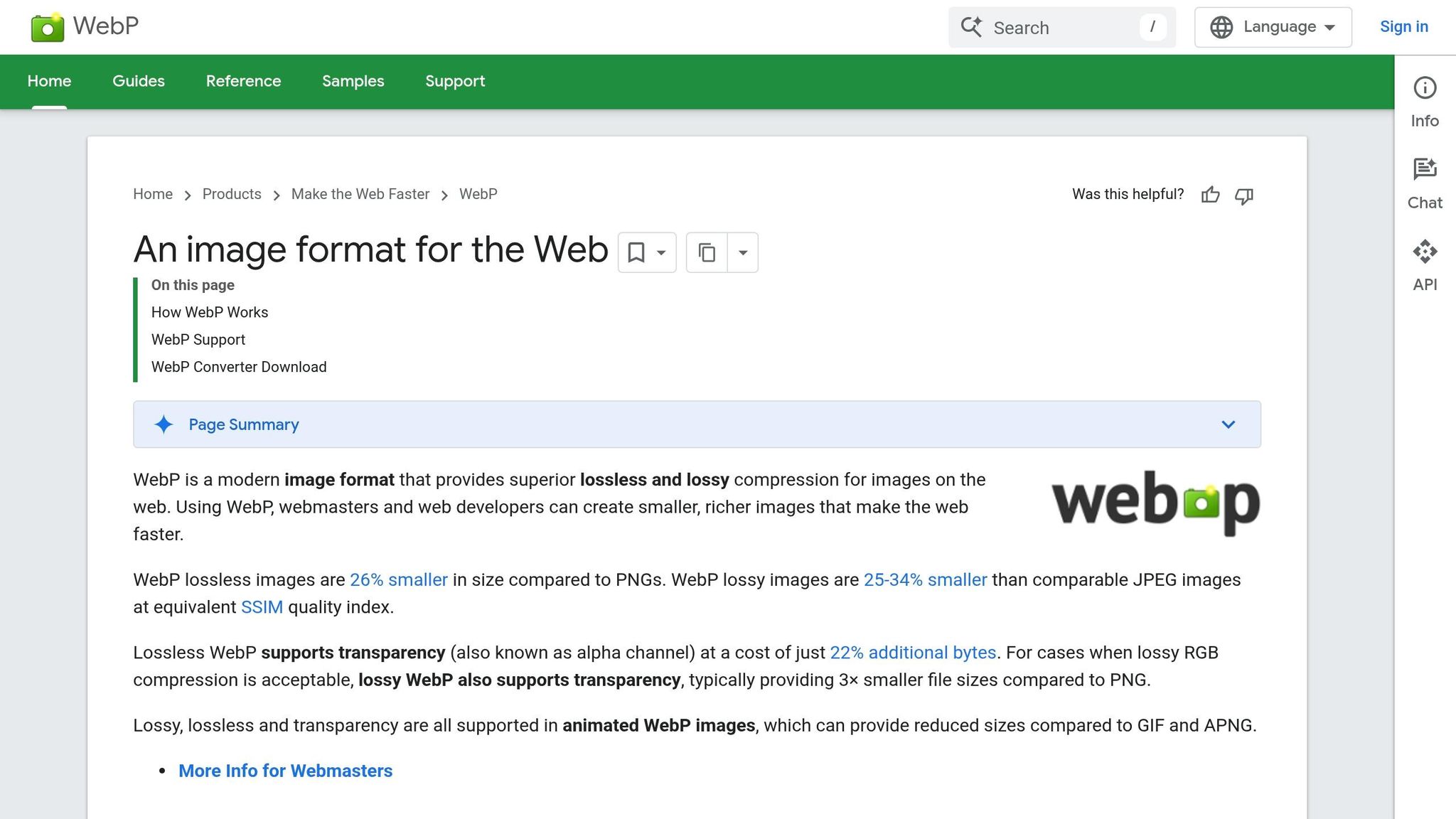
Modern formats are game-changers for reducing file sizes while keeping image quality high. WebP, for instance, has become the go-to standard with over 97% browser support as of 2026. It can produce files 25–34% smaller than JPEG at the same quality level, and its lossless mode creates files about 26% smaller than PNG.
AVIF takes compression even further, reducing file sizes by about 50% compared to JPEG while maintaining similar visual quality. However, it’s not without drawbacks – browser support is slightly lower (around 92–94%), and encoding takes 5–10 times longer than JPEG or WebP.
The best strategy? Use the <picture> HTML element to serve AVIF to browsers that support it, while falling back to WebP or JPEG for older ones. This ensures you’re optimizing for both modern and legacy browsers.
How to Optimize Images for SEO
Understanding compression methods and modern file formats is just the beginning. The real challenge is creating a system that automatically delivers the right image – at the right size and in the right format – without constant manual adjustments. By following these steps, you can improve load speeds and boost SEO rankings.
Select the Right Image Format
Choosing the best format for your images is crucial. Start with AVIF, followed by WebP, and use JPEG or PNG only as backups for older systems. AVIF offers aggressive compression, shrinking file sizes by 40–55% compared to JPEG while maintaining excellent visual quality. WebP is slightly less efficient but still reduces file sizes by 25–35% compared to JPEG and is supported by over 97% of browsers. For logos and icons, SVG is ideal since it scales infinitely without losing quality and has minimal file sizes.
Set quality levels to balance size and appearance: 80% for WebP and 65% for AVIF is a good rule of thumb. Use AVIF for high-impact visuals like hero images and photography. For general use, WebP is a safe default. JPEG is only necessary for legacy browsers, and PNG should be reserved for images requiring transparency when AVIF or WebP aren’t an option.
Automating this selection process is essential, and that’s where compression tools come into play.
Use Image Compression Tools
Manually optimizing large image libraries is impractical. Tools like TinyPNG and TinyJPG are perfect for quick, free compression of individual files. For WordPress users, plugins such as ShortPixel and Imagify streamline the process, compressing images on upload and converting them to modern formats. Desktop apps like ImageOptim are great for batch processing and removing metadata (like EXIF data), which can save 10–50 KB per image.
If you’re managing a larger site, consider solutions like Cloudflare Polish, which automates optimization at the edge. Alternatively, integrate compression into your CI/CD pipeline to handle AVIF and WebP conversions during deployment. Aim for a maximum of 100 KB per image for general web content and under 200 KB for large hero banners. Since images often make up 50–65% of a page’s total weight, optimizing them can significantly speed up your site.
Once your images are optimized, the next step is ensuring they’re served responsively.
Set Up Responsive Images
Sending the same large image to every device wastes bandwidth and slows down mobile users. Use the srcset attribute to provide multiple image sizes, allowing browsers to choose the smallest file that matches the user’s screen resolution. Combine this with the sizes attribute to specify how the image should be displayed based on the layout.
For more advanced control, implement the <picture> element. This lets you use AVIF for modern browsers while falling back to WebP or JPEG for older ones. Always include explicit width and height attributes (or use the CSS aspect-ratio property) to prevent layout shifts and ensure proper display across devices. For high-density screens, serve images at 1.5x to 2x their display size to maintain clarity without bloating file sizes.
Lastly, avoid lazy-loading critical images like hero banners or above-the-fold content. Use loading="eager" or fetchpriority="high" to prioritize their loading and improve your Largest Contentful Paint score.
Comparison: Compression Methods and Image Formats
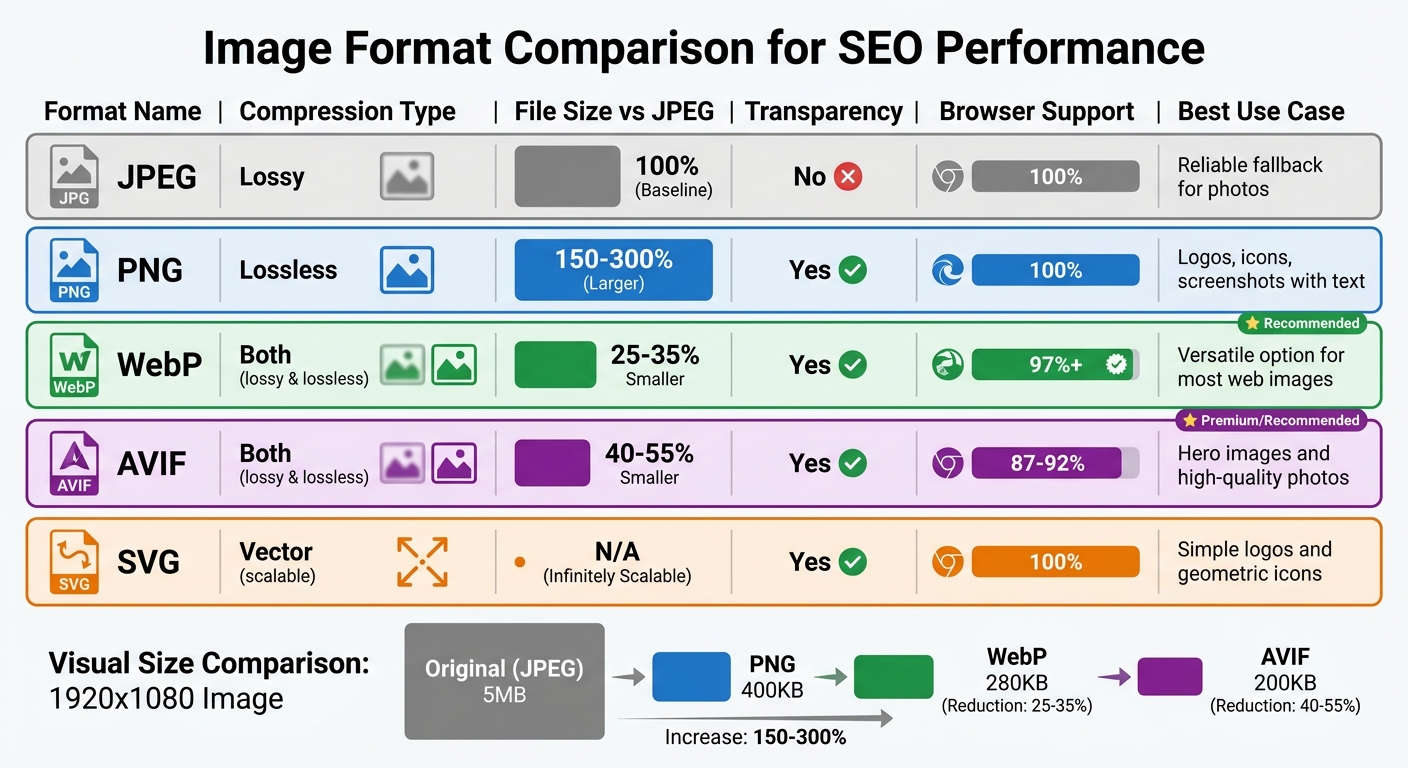
Image Format Comparison Chart for SEO Performance
Choosing the right image format and compression method is a game-changer for improving load times and boosting Core Web Vitals scores. Here’s a quick breakdown of popular formats, their strengths, and where they shine for SEO optimization.
| Format | Compression Type | File Size vs. JPEG | Transparency Support | Browser Support | Best Use Case |
|---|---|---|---|---|---|
| JPEG | Lossy | Baseline (100%) | No | 100% | A reliable fallback for photos |
| PNG | Lossless | 150–300% of JPEG | Yes | 100% | Ideal for logos, icons, and screenshots with text |
| WebP | Both | 25–35% smaller | Yes | 97%+ | A versatile option for most web images |
| AVIF | Both | 40–55% smaller | Yes | 87–92% | Perfect for hero images and high-quality photos |
| SVG | Vector | N/A (scalable) | Yes | 100% | Best for simple logos and icons with geometric designs |
Lossy compression works by discarding non-essential data, reducing file sizes by 70–95%. This makes it great for photos saved at quality levels between 75–85%. On the other hand, lossless compression retains all pixel data, shrinking file sizes by 20–50% using efficient encoding techniques. WebP, a flexible format, delivers 25–35% smaller files with near-universal browser support. Meanwhile, AVIF takes compression further, cutting file sizes by 40–55%, though it has slightly less browser compatibility.
Let’s put this into perspective: a 1920×1080 image saved as an uncompressed PNG might be a hefty 5 MB. Compressing it as a JPEG at 80% quality reduces it to about 400 KB. WebP at the same quality trims it to 280 KB, while AVIF at 70% quality slashes it to just 200 KB. For hero images – which are often the Largest Contentful Paint (LCP) element on 73% of mobile pages – these savings can significantly enhance Core Web Vitals performance.
One key tip: repeatedly saving a lossy JPEG can degrade its quality over time. Lossless formats, however, allow you to edit and save multiple times without any loss in quality. To avoid this, always keep a master copy in a lossless format like PNG or TIFF, and only export to a lossy format for the final web version. This approach ensures optimal quality and performance for your images.
Conclusion
Key Takeaways
Optimizing images plays a critical role in improving page load speed and Core Web Vitals – both of which are confirmed Google ranking factors. Every kilobyte you save can make a noticeable difference. Modern formats like WebP and AVIF bring measurable performance improvements, while proper compression ensures your visuals remain sharp. By reducing file sizes without sacrificing quality, your site gains a real edge in SEO.
The advantages also extend to emerging search platforms. Google Images now handles 22.6% of all Google searches, and Google Lens processes over 12 billion visual queries monthly. By using compression, adding descriptive alt text, and implementing responsive image sizing, you can boost your visibility across these fast-growing channels.
Atilla Kuruk, SEO & AI Search Specialist, explains: "In our audits of over 500 websites, image optimization consistently delivers the fastest page speed improvements. Switching to WebP and adding proper alt text are two changes that take minutes per image but can improve your LCP score by 40%".
These strategies provide a clear path to enhancing your site’s performance right away.
Next Steps for Your Business
To get started, audit your current images using tools like PageSpeed Insights. Resize images to their maximum display dimensions before applying compression, aiming for hero images under 200 KB and content images under 100 KB. Use responsive images with srcset attributes and always define width and height to prevent layout shifts.
If managing image optimization feels daunting, Upward Engine offers a solution. Their team specializes in integrating optimizations directly into your website’s infrastructure. Whether through custom web design or WordPress hosting, they ensure every image you upload is automatically optimized for both search engines and user experience, saving you time and effort.
FAQs
How do I know if my images are hurting my Core Web Vitals?
To understand how your images affect Core Web Vitals, pay attention to metrics like Largest Contentful Paint (LCP), Cumulative Layout Shift (CLS), and Interaction to Next Paint (INP). Common culprits include oversized or uncompressed images, missing width and height attributes, or using outdated image formats. Tools like Google PageSpeed Insights can help pinpoint issues, such as slow load times or layout shifts triggered by images, and offer suggestions for improvement.
Should I use AVIF or WebP on my site?
When considering performance and SEO, the choice depends on your specific needs. AVIF offers excellent compression, resulting in smaller file sizes that can boost page load speeds and potentially improve search rankings. On the other hand, WebP is more broadly supported across browsers and decodes faster, making it a dependable option for compatibility.
A common approach is to use AVIF for browsers that support it, with WebP as a fallback for others. If your audience primarily uses browsers compatible with AVIF, it’s a strong choice. However, WebP remains a solid alternative to ensure wider accessibility.
What’s the safest way to compress images without ruining quality?
To shrink image sizes without compromising their quality, consider using modern formats like WebP or AVIF. These formats are designed to reduce file sizes while keeping the visuals sharp. Aim for a compression quality setting of 80-85% to strike the right balance between file size and appearance. For those who need to retain every detail, lossless compression is a solid option.
To further optimize performance, use responsive images with the srcset and sizes attributes. These ensure the right image is served based on the user’s device. Pair this with native lazy loading to improve loading speeds while maintaining the visual experience.


